
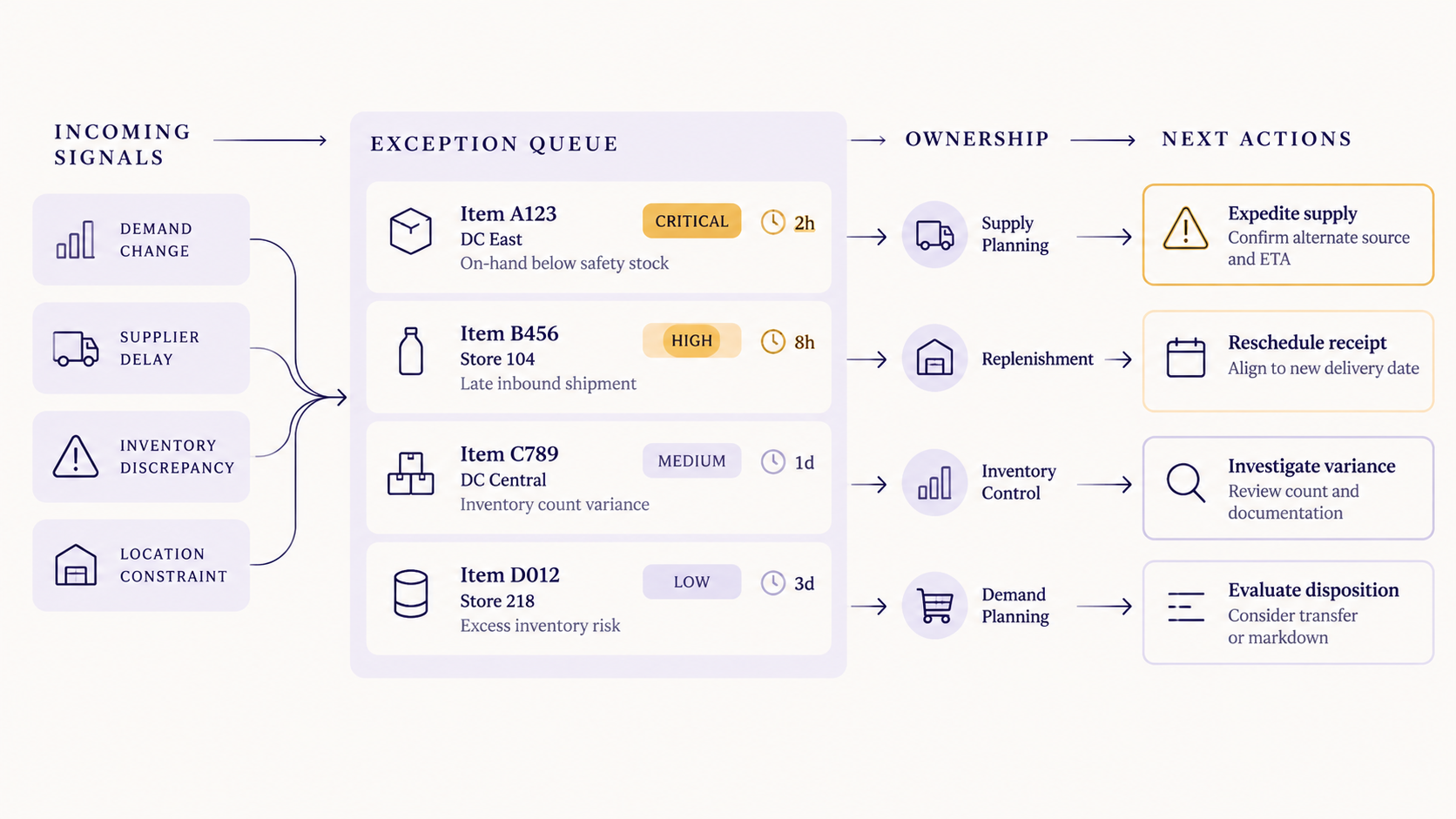
When a planning system flags shortages, excess stock and lead-time changes across hundreds or thousands of item-location combinations, the difficult part is rarely seeing the alerts. It is deciding which one needs action now, which needs investigation and which can wait.
The answer is not to treat every exception as equally urgent. Use a consistent triage checklist, then manage the resulting queue through ownership and resolution. The approach below is a suggested operating method, not a vendor-prescribed scoring algorithm. For context, SAP documents exception management in Integrated Business Planning, while AWS documents supply-chain insights.
A five-step inventory exception checklist
1. Consolidate alerts into cases
Start with one case per issue that a planner can investigate and resolve. Group related signals where appropriate: a projected shortage, a late inbound order and a supplier lead-time change may be parts of the same item-location problem. Retain the underlying alerts so the reason for each case remains visible.
Each case should show the affected item and location, exception type, relevant dates, available and expected inventory, and when the signal was last refreshed. Without that context, planners must reopen several systems before they can make a decision.
2. Test urgency against the decision window
Ask when the consequence is likely to occur and when an intervention must begin to matter. A shortage projected for next week may require immediate attention if replenishment takes longer than a week. An excess position may be less time-sensitive—unless a cancellation, transfer or promotion decision has a near-term deadline.
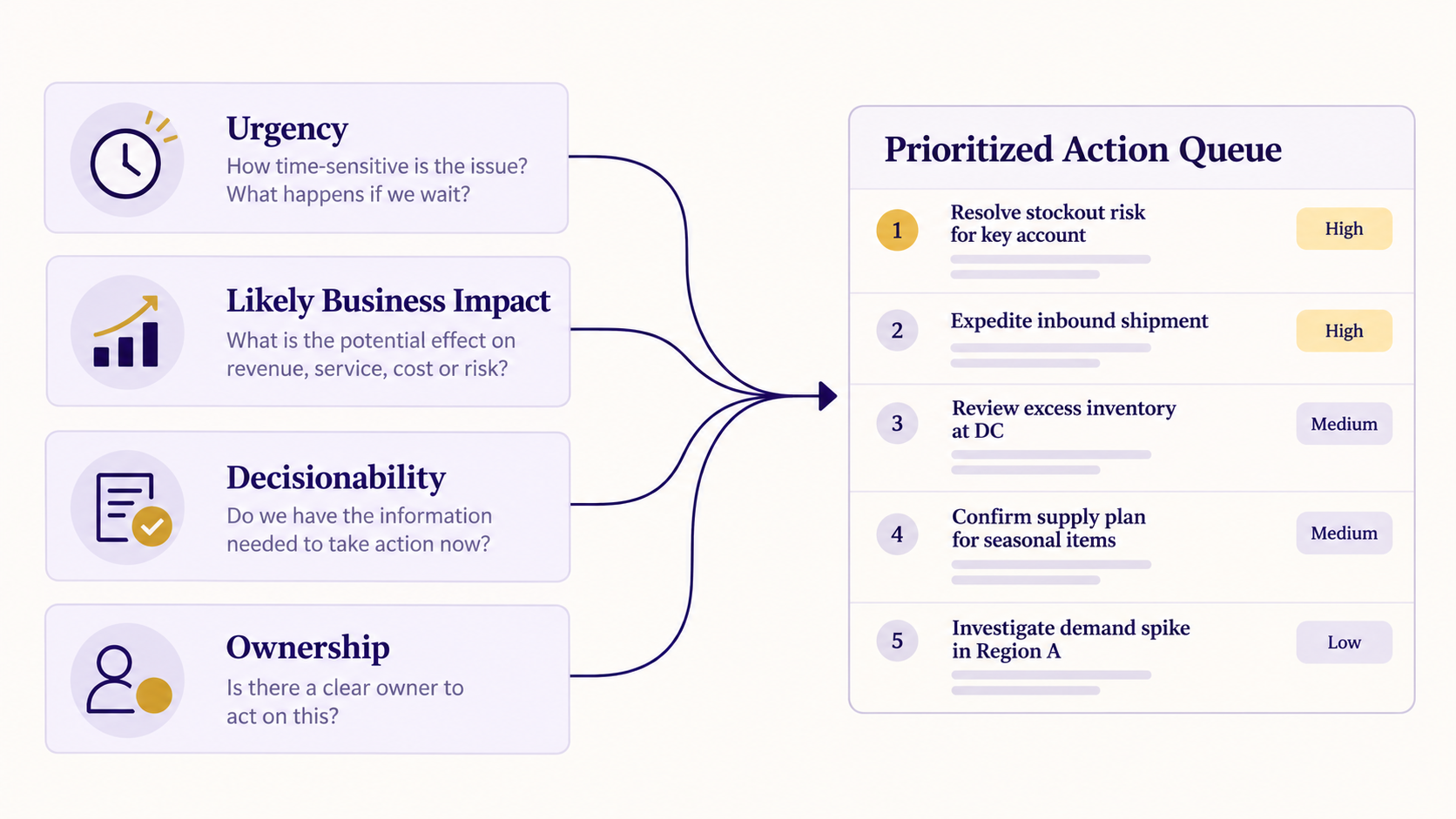
Use three working labels: act now when the intervention window is closing; schedule when there is time for a planned decision; and monitor when the signal does not yet justify intervention. These labels describe timing, not business value.
3. Assess likely business impact
Look beyond the alert’s quantity. Consider the demand or commitment at risk, substitutability, the inventory value exposed, service implications and whether the issue affects one location or several. Record the reason for the impact assessment rather than relying on an unexplained score.
High impact does not automatically mean immediate action. A consequential issue with uncertain data may first need validation; a smaller issue with an expiring decision window may need action today.
4. Check decisionability and assign an owner
Ask what choice is available: expedite, transfer, substitute, adjust an order, change an allocation, validate the signal or accept the risk. If no action is currently available, record what information or event would change that assessment.
Assign one accountable owner and a next-review date. Ownership matters particularly for cases that cross planning, procurement, logistics and commercial teams. A queue without owners is still an alert list.
5. Review unresolved and repeated cases
At each review, check cases with missed action dates, changing impact or no documented decision. Repeated exceptions deserve a separate look: the cause may sit in planning parameters, master data, supplier assumptions or the way alerts are configured. Do not simply keep promoting the same alert without investigating why it returns.
What a prioritized queue could look like
The following is an illustrative example, not a measured result. Its ordering depends on the stated assumptions and should be revisited as facts change.
| Case | Triage judgment | Next action and owner |
|---|---|---|
| Projected shortage on an item with a committed near-term order; replenishment will arrive too late | Act now: commitment at risk and intervention window closing | Planner checks transfer or allocation options; commercial owner confirms customer priority |
| Excess stock with a supplier cancellation deadline tomorrow | Act now: time-limited option to limit further exposure | Buyer confirms cancellation terms and records the decision |
| Large projected shortage several weeks out, driven by an unconfirmed lead-time change | Investigate: potentially high impact, but the signal needs validation | Procurement owner confirms lead time; planner reviews the case on the agreed date |
| Small excess position with no near-term decision deadline | Monitor: limited immediate impact and no expiring option | Planner checks at the next scheduled review |
This illustrates why a simple “shortages first” rule is insufficient. An excess case can move to the top when a useful decision window is about to close. Conversely, a large projected shortage may need fact-finding before an expedite decision is justified.
Make the queue useful after the first review
For every case, capture priority, reason, owner, next action, due date and status. Useful statuses include new, validating, action agreed, waiting on another party, resolved and accepted risk. Record the decision and its rationale, including when the team chooses not to intervene.
Review the framework itself as well as the queue. Are important cases being found early enough? Are low-value alerts consuming planner time? Which exceptions repeatedly reopen? Those questions provide a practical basis for adjusting thresholds and workflow rules. Any proposed priority weights should be tested against the team’s own historical decisions and outcomes before being treated as reliable.
Inventory exception analytics can make signals visible; decision support and workflow turn them into accountable action. That distinction connects to Soel’s broader view of turning data into real impact. If your team needs a clearer way to rank, assign and follow through on inventory exceptions, contact Soel Technologies to discuss the decision process behind the queue.